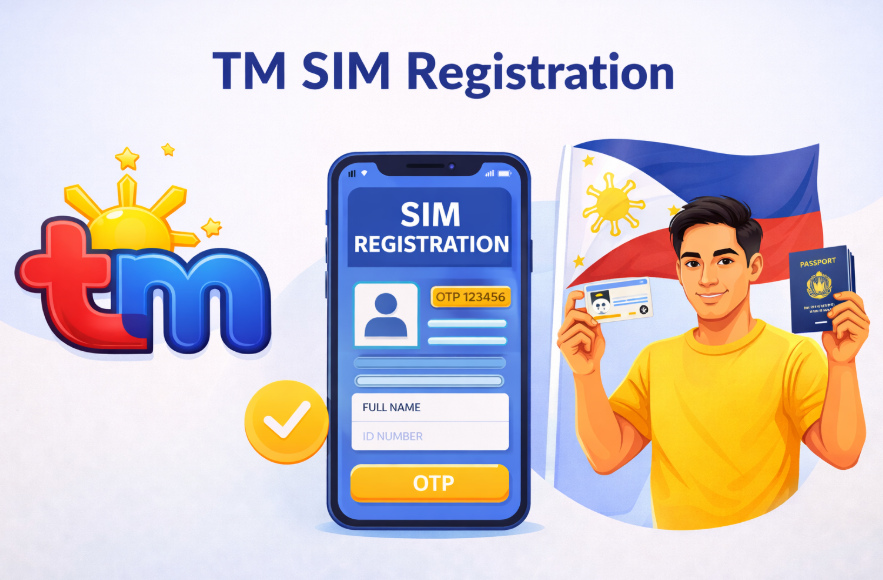
If you’re using a TM number in the Philippines, completing yourSIM registration TM is not optional. Under the SIM Registration Act (RA 11934), every prepaid and postpaid SIM must be registered to stay active. If you delay the TM register process, your number can be deactivated.
The good news? Registration takes only a few minutes if you prepare properly. In this guide, I’ll walk you through the exact TM SIM registration steps, required documents, and common mistakes to avoid.
What is TM SIM Registration?
TM SIM registration is the process of linking your mobile number with your personal information and a valid government ID in the official database of Globe Telecom (TM’s parent network).
After registration, your number becomes verified. Unregistered SIM cards are automatically blocked and you will not be able to send SMS, make calls, use mobile data, or receive OTP codes. Even if your SIM still has load balance, it becomes useless once deactivated.
Why the Government Made It Mandatory
Before this law, people could easily buy a SIM card and use it anonymously. Many online scams, loan app harassment messages, and fake prize texts were coming from unregistered numbers.
The purpose of the law is to stop SMS scams and phishing, track criminals using mobile numbers, protect online banking users, reduce spam messages, and improve digital security. Simply put, your number now acts like a digital ID connected to you.
Requirements for TM SIM Registration
Before starting, prepare these items:
You need one valid government ID such as a National ID (PhilSys ID), Passport, Driver’s License, UMID, SSS ID, GSIS ID, PRC ID, or Voter’s ID.
You will also need your personal information including full name, date of birth, gender, address, and your TM mobile number.
A live selfie photo holding your ID is required for identity verification.
How to Register SIM TM (Step-by-Step)
Turn on mobile data using your TM SIM and visit the official TM or Globe SIM registration portal. Enter your TM mobile number and type the OTP code sent to your phone. Fill in your personal details accurately. Upload a clear photo of your valid ID and take a selfie verification photo. Carefully review your information and tap submit.
After successful submission, you’ll receive a confirmation message. Your number is now registered.
For New SIM Users
If you just bought a new TM SIM, you must register before fully activating it. You can receive the OTP, but services remain limited until verification is completed.
Common Mistakes to Avoid
Many registrations fail because of small errors. Avoid blurry or cropped ID photos, entering the wrong birthdate, using a nickname instead of your full legal name, taking a dark selfie image, or uploading documents with a weak internet connection.
Taking photos in good lighting and placing your ID on a flat surface can help prevent rejection.
What Happens If You Don’t Register?
An unregistered SIM will be permanently deactivated. After deactivation, your remaining load is lost, GCash linked to that number may become inaccessible, banking OTP messages will stop, and you may not easily recover the same number.
In short, your digital identity tied to that SIM disappears.
Is Your Data Safe?
The law requires telecom companies to keep your information confidential. Your data cannot be shared publicly and is only accessed when legally required for investigations. It is stored in a secure verification system and is not visible to other users.
Final Thoughts
TM SIM registration is a quick and important process. It usually takes just a few minutes but ensures uninterrupted calls, working OTPs, secure digital transactions, and protection from scams.
If you haven’t completed the process yet, register sim TM today to avoid deactivation and keep your number active without interruption.
Startups do not fail because risk exists. They fail because risk gets read badly. Founders face uncertainty every week. Hire now or wait. Raise money or grow slower. Launch early or delay. Cut a feature or double down. These choices rarely come with certainty. They come with incomplete information. That is why probability thinking matters. […]
Games have evolved far beyond simple entertainment, offering numerous opportunities to generate real income. Whether through competitive play, streaming, or skill-based platforms, individuals can leverage their passion for gaming into profitable ventures. Platforms like read more allow users to engage with interactive games while potentially earning money. By combining strategy, dedication, and smart decision-making, gamers […]
The business landscape is rapidly evolving with automation reshaping various operational practices, and proposal management is no exception. As competition grows fiercer and the demands for efficiency and precision reach new heights, organizations are increasingly turning towards automation for proposals processes. Automated systems not only expedite the creation and management of proposals but also enhance overall quality. […]
The entrepreneurial scenario in India has changed over the last decade. The Indian government is supporting innovation through its Startup India initiative, creating employment opportunities and accelerating economic growth. In this blog, let's discuss Startup India, including its objectives, benefits, and eligibility criteria; also, know how to get a startup registered under this initiative.
What is Startups ?
A startup is the early stage of a company that is formed to develop a unique product or service, introduce it into the market, and scale it to make substantial revenues. Startups are an important part of innovation, job creation, and diversification in the economy. In India, startups play a critical role in driving technology adoption and solving complex challenges in areas such as healthcare, education, and financial inclusion.
Characteristics of a Startup
Innovation: Key concentration in developing new products, services, or processes.
Scalability: Ability to grow rapidly with low incremental costs.
Disruption: Challenge traditional business models or industries.
Importance of Startups in India
Job Creation: Startups are significant employment generators.
Economic Growth: Contribute to GDP by introducing new industries.
Technological Advancement: Drive innovation and technology adoption.
What is the Startup India Initiative?
Startup India is one of the flagship initiatives of the Government of India, launched on January 16, 2016. It aims to build a robust ecosystem that nurtures innovation and startups across the country. The idea is to give an impetus to economic growth and employment generation in a substantial way. Startup India seeks to encourage entrepreneurship by giving a boost to innovation and design, thus leading to the growth and success of the startup ecosystem.
Standup India Scheme Standup India scheme was announced on April 5, 2016, to finance new enterprises, to boost the entrepreneurship culture in India. The program ensures the availability of loans through the Scheduled Commercial Banks (SCBs), between ₹10 lakh and ₹1 crore to at least one member of the Scheduled Caste (SC) and Scheduled Tribe (ST), and at least one woman, per bank branch. The support in this new scheme is granted to businesses in the trading, services, or manufacturing sectors. This will supposedly help about 250,000 borrowers.
Key Objectives of Startup India
Making Business Easier: Simple rules, compliance, and legal steps.
Financial Help: Provide access to government funds and venture capital.
Building Skills: Offer training and mentorship programs.
Encouraging Innovation: Support research and development with grants.
Features of Startup India
Startup India Hub: This is a place where startups can connect with investors and mentors.
Fund of Funds for Startups (FFS): This is a ₹10,000 crore fund managed by the Small Industries Development Bank of India (SIDBI).
Tax Benefits: Eligible startups can get exemptions from income tax and capital gains tax.
Startup Recognition: Startups can receive official recognition from the Department for Promotion of Industry and Internal Trade (DPIIT).
The Startup India scheme eligibility criteria
If you want to get funding through the Start-up India scheme, you need to meet certain eligibility requirements. Knowing these requirements well will help you successfully go through the application process.
Business Experience: Start-ups applying for this scheme must have been operating for more than five years.
Age Requirement: Applicants must be at least 18 years old.
Company Structure: To get funds under this scheme, the company must be either a partnership or a private limited company.
Turnover Limit: The company should have an annual turnover of no more than Rs. 25 crore.
No Reconstruction: Start-ups that have emerged from the splitting or restructuring of an existing business are not eligible for this scheme. Companies that have divided an organization into two or more parts will be disqualified.
If a company is developing a new product or service, it can benefit from the Start-up India policy.
Here are the requirements:
The start-up must create, utilize, or sell a product or service that is based on new technology or intellectual property.
The focus should be on enhancing an existing product or developing a new one that adds value for customers or improves workflow.
The start-up must not engage in projects that are not unique or do not provide value to customers or enhance workflow.
To get a Startup India loan, start-ups must secure various approvals and submit specific documents:
Obtain approval from the Inter-Ministerial Board under the Department of Industrial Policy and Promotion (DIPP).
Acquire a recommendation from an incubator affiliated with a recognized post-graduate college.
Secure a recommendation from a government-recognized incubator.
File a patent for your product or service and have it published in the Indian Patent Office Journals.
If your services involve funding and equity, register with the Securities and Exchange Board of India (SEBI).
Provide a funding letter from any state or central government scheme that supports innovation.
How to Register Under Startup Under Startup India Scheme?
Step 1: Start Your Business
The first step in starting your business is to choose a legal structure, such as a Private Limited Company, Partnership, or Limited Liability Partnership (LLP). You will need to complete the standard registration process, which involves submitting an application and obtaining a Certificate of Incorporation or Partnership registration.
Step 2: Register with Startup India
Once you have created your business, the next step is to register it as a startup. This process is straightforward and can be completed online. First, visit the Startup India website and click the 'Register' button. Enter your name, email address, and mobile number, then create a password and click 'Register.' You will receive a One-Time Password (OTP) in your email. Enter this OTP and provide additional information, such as your user type, business name, and the stage of your startup. Finally, click 'Submit' to create your Startup India profile. Completing this registration will help your business be recognized as a startup under the Startup India scheme, granting you access to various benefits and support.
Step 3: Obtain DPIIT Recognition
After creating your profile on the Startup India website, the next step is obtaining recognition from the Department for Promotion of Industry and Internal Trade (DPIIT). This recognition provides benefits such as quality intellectual property services, relaxed public procurement rules, self-certification for labour and environmental laws, simplified winding-up procedures, access to the Fund of Funds, and tax exemptions for three years.
Step 4: Submit the Documents for Registration
To complete the registration process and obtain DPIIT recognition for your startup, please submit the following documents:
1. The incorporation or registration certificate of your startup.
2. Proof of funding, if applicable.
3. An authorization letter from the company's authorized representative
4. Evidence of your concept, such as a website link, pitch deck, or video (this applies to startups at the validation, early traction, or scaling stage).
5. Information regarding any patents and trademarks you hold.
6. A list of any awards or certificates of recognition you have received.
7. Your Permanent Account Number (PAN).
Step 5: Self-Certification of Eligibility Conditions
You need to confirm that your business meets the following conditions:
1. Your business must be a Private Limited Company, Limited Liability Partnership (LLP), or partnership firm.
2. Your business has been registered in India for no more than five years.
3. Your company's turnover does not exceed ₹100 crore.
4. Your company is consistently innovating or improving existing systems.
5. Your business is based on an original idea, rather than a split or reorganization of an existing business.
Step 6: Obtain Your Recognition Number
When applying for registration, you will receive your recognition number immediately. The authority will send you the certificate of registration or incorporation after reviewing your uploaded documents. Ensure that you upload accurate information to avoid errors, as mistakes can lead to fines of up to 50% of your paid-up capital or a minimum of Rs. 25,000. By fulfilling the eligibility and registration requirements, your company can participate in the Startup India scheme and enjoy various benefits provided by the government.
Wrapping Up
The Startup India initiative has revolutionized the entrepreneurial landscape in India by offering financial, regulatory, and infrastructural support. If you’re an entrepreneur with an innovative idea, registering under this program can unlock numerous opportunities for growth and success. Begin your startup journey today and contribute to India’s transformation into a global hub for innovation.
FAQ’s
Q1. What is the aim of the Startup India initiative?
Ans: Startup India aims to promote entrepreneurship, support innovation, and create a robust startup ecosystem in India.
Q2. How long does it take to register under Startup India?
Ans: The registration process typically takes 2–3 weeks, depending on document verification.
Q3. Are there any fees for registering under Startup India?
Ans: No, the registration process under the Startup India initiative is free of cost.
Q4. Can a sole proprietorship register under Startup India?
Ans: No, only Private Limited Companies, LLPs, and Partnership Firms are eligible to register.
Q5. What are the tax benefits available to startups?
Ans: Startups can avail of income tax exemptions for three consecutive years and exemptions on long-term capital gains.
Q6. Is the Startup India initiative open to foreign startups?
Ans: No, the initiative is exclusively for startups registered and operating in India.